Wedding photo challenge for guests
The most beautiful moments
of your wedding,
captured by your guests
One QR poster is all it takes: your guests scan it, get a fun photo mission, and upload their shot straight to your shared album — from any phone. No app. No account. Just scan and snap.




How it works
In three simple steps
Create challenges
Choose from over 50 photo tasks or create your own. Match colors and design to your wedding theme.
Design & print your poster
Style your single-QR poster in the live designer — palette, typeface, layout — and print the PDF at home. Prefer one card per challenge? Classic printed cards are included too.
Collect photos
Your guests scan the QR code with their phone, see their challenge, and upload the photo right away.
55 wedding photo challenge ideas Wedding photo scavenger hunt Wedding photo bingo
The crowd favourite
One QR poster,
designed by you
Every scan of the poster deals a fresh photo challenge. Design it to match your wedding — nine palettes, six typefaces, three QR styles — and see exactly what you'll print, live.
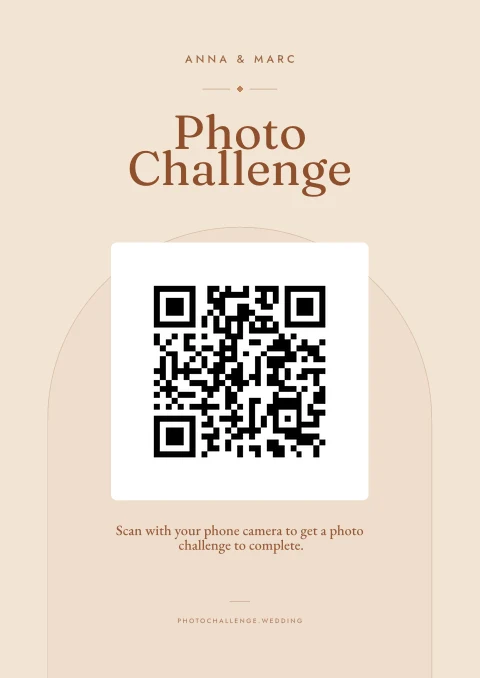
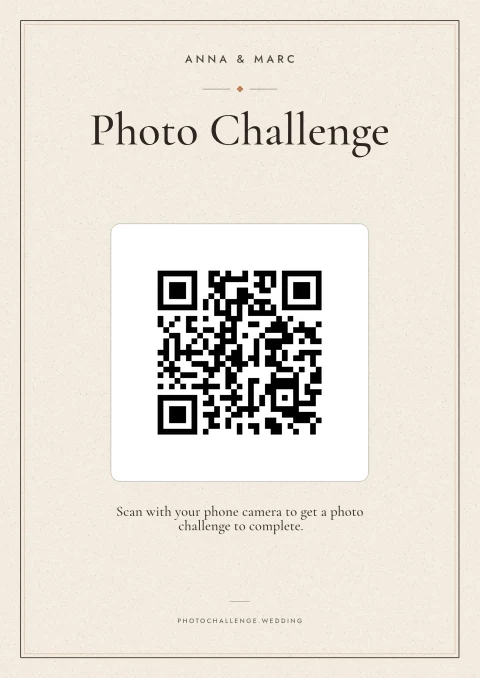
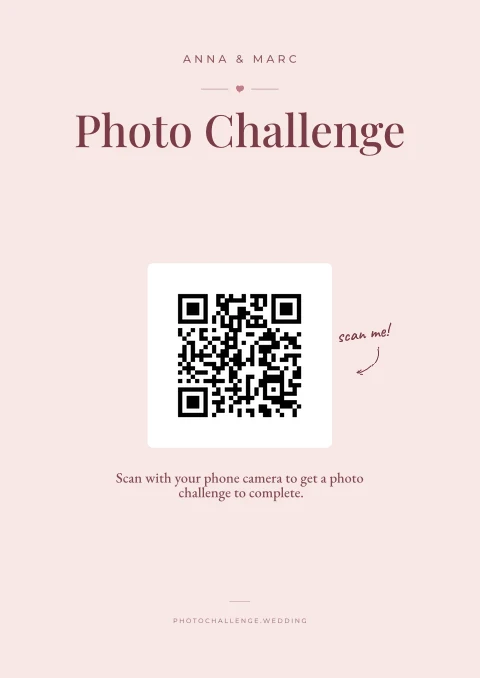
Frame it at the entrance or lay one on every table — A4, A5, Letter, 5×7 or square.
Why PhotoChallenge.wedding
Everything you need
nothing more
No app download
Works on any smartphone with a camera. Just scan the QR code and that's it.
No account needed
Your guests don't need to sign up anywhere. Scan the QR code, take a photo, upload.
A poster designer built in
Nine palettes, six typeface pairings and three layouts — with a live preview that shows exactly what you'll print.
50+ challenge ideas
Heartfelt or hilarious: pick from our collection of wedding challenges.
One QR poster — or cards
The single QR poster deals every guest a random challenge — it's what most couples print. Classic per-challenge cards are one click away, and you can still download the bare QR codes for your own designs.
Online gallery
All your guests' photos in one place. Share the gallery link with everyone after the wedding and download all photos as a ZIP file.
Frequently asked questions
Everything you
need to know
What exactly is a photo challenge?
A photo challenge is a creative photo task for your wedding guests. You create different challenges like "Photograph the wedding rings" or "Take a selfie with the bride and groom." The tasks are printed as cards with QR codes and placed on the tables. Your guests scan the QR code, see the task, and upload their photo right away.
Do our guests need an app?
No, your guests don't need an app or an account. They simply scan the QR code on the card with their regular phone camera. A webpage opens where they can see the challenge and upload their photo directly. It works on any smartphone: iPhone, Android, old or new.
How do I print the cards?
Once your challenge is set up, you download a print-ready PDF. Cards print eight to an A4 sheet, double-sided, with crop marks to cut along; the poster prints as a single page in the size you pick. Our tip: use slightly thicker paper (160gsm or more) — it looks far more special on the table.
How many wedding photo challenges should we create?
Plan roughly one prompt per 2 guests for a varied gallery: a 60-guest wedding lands at around 30 prompts, a 150-guest wedding at around 75. That stops the album filling up with five copies of the same cake shot. The free tier includes 5 prompts so you can test the whole flow before deciding which plan fits your guest count.
Is PhotoChallenge.wedding really free?
You can try PhotoChallenge for free with up to 5 photo challenges, perfect for testing the whole flow before your wedding. For larger weddings, see our pricing page.
Where are the photos stored?
Your photos are stored encrypted in the EU. After the wedding they stay in your account — for 6 months on Standard, 12 on Premium — so download the whole gallery as a ZIP to keep them for good. Your guests can browse them too, through the gallery link.
Can I edit the challenges later?
Yes. Log in any time to add, change or remove challenges. Removing one never deletes the photos your guests already took for it.
Does it work without Wi-Fi at the venue?
Your guests need a connection to upload: the venue's Wi-Fi or their own mobile data both work. Where it goes wrong is the barn in the countryside with neither, so it's worth checking the signal at your venue early.
Can we use one single QR code instead of many cards?
Yes. Every challenge can run with a single QR code: print one poster (or add the code to your menu or welcome sign), and each guest who scans it gets a random photo challenge. And if you'd rather design your own cards or signs, paid plans let you download the bare QR codes as images — a single PNG, or a ZIP with one QR code per challenge.
Ready for unforgettable
wedding photos?
Print-ready in minutes. No app for guests, no subscription for you.