The wedding I Spy game (you'll also see it spelled eye spy) borrows the car-journey game everyone played as a child. Instead of guessing, your guests get a list of things to find during the day — the rings, a grandparent on the dance floor, someone wiping away a happy tear — and photograph each one when they spot it.
It's a scavenger hunt you play by keeping your eyes open rather than running around, so it suits every guest from the flower girl to your grandmother. And it leaves you with photos from every table in the room, taken while your photographer was busy with you.
How to play I Spy at a wedding
The rules fit on a card:
- Guests get the list. Every item starts with “I spy…”: I spy the rings, I spy the first dance.
- They keep an eye out all day. When they spot something on the list, they photograph it with their phone.
- The photos come back to you. This is the step the paper version never solved, and the one the setup below is built around.
Nobody has to finish the list, and there doesn't need to be a winner. A guest who photographs two things has still played.
How to set up a wedding I Spy game, step by step
This is the version where the photos don't get stuck on your guests' phones. One QR code goes on a sign. Each guest who scans it is handed something to spot, takes the photo, and it lands in your gallery labelled with that item. Guests don't install an app or make an account; only you do. The screenshots come from an example event on PhotoChallenge, which is what we make.
Step 1: Write your I Spy list
For most weddings, 15 to 25 items is right: enough that guests at different tables get different things to find, few enough that each one gets photographed. The planner suggests a number from your guest count. Three things make a good list:
- Mix easy and hard. The rings is a gimme; three generations in one photo takes some finding. Mostly easy keeps everyone playing.
- Make some of it about you. Your dog in a bow tie, the neon sign you made, your grandmother's brooch. Guests enjoy these most, and they're the photos you'll keep longest.
- Only list what guests can photograph. If your ceremony is unplugged, leave the ceremony off the list. Nobody should be asked to break your one rule.
Start every item with “I spy…”. It's what makes this the game rather than a to-do list. Stuck? Take any of the 50 ideas below.
Step 2: Add your list to a new event
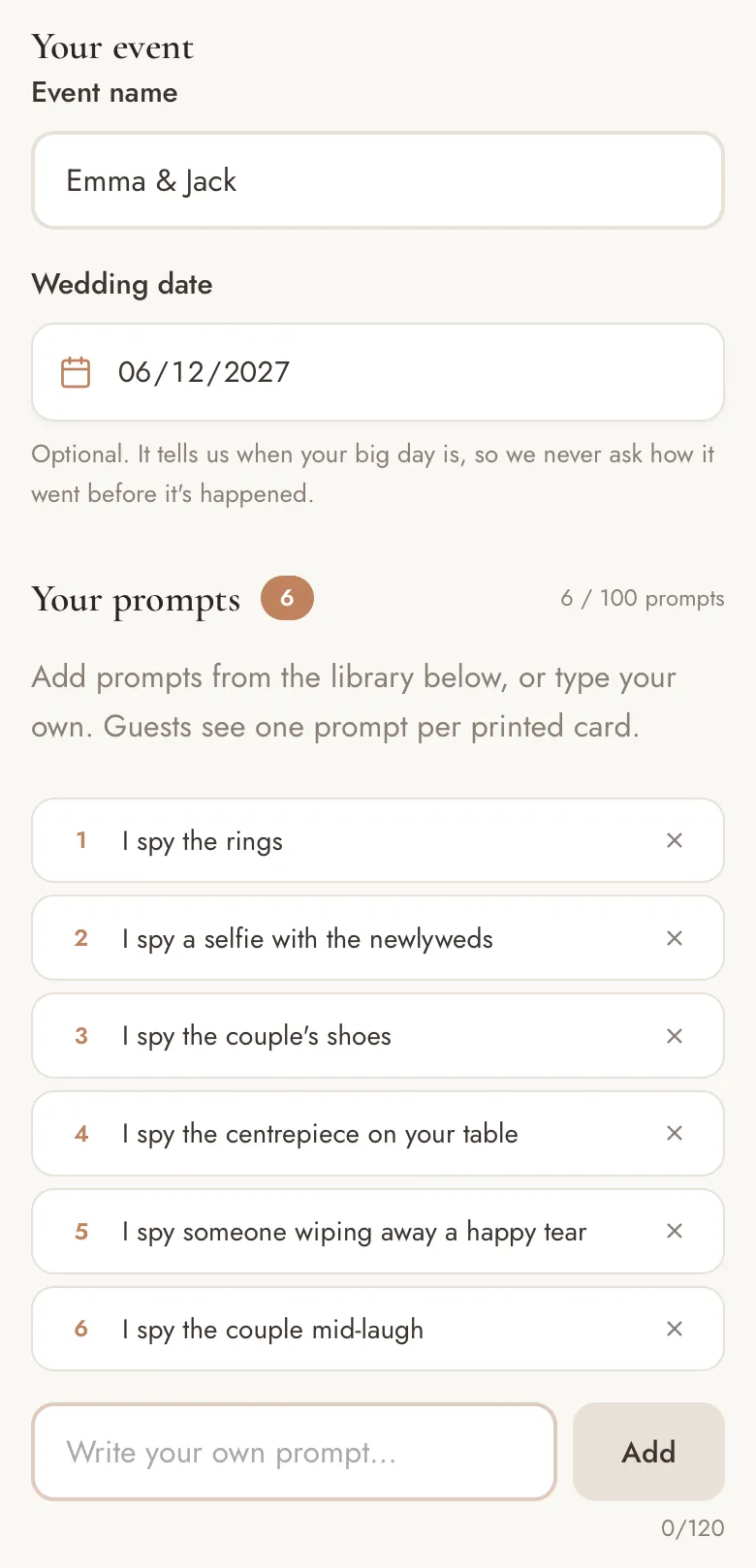
Go to Create and type your names as the event name. Under Your prompts, type each item and tap Add. Guests see every item word for word, so keep the “I spy…”.
Start with 5. That's what the free test run holds, and it's enough to go through every step below and play a round yourself. When you're happy, Standard (€49, paid once) takes the rest of your list.
Step 3: Choose “One single QR code”
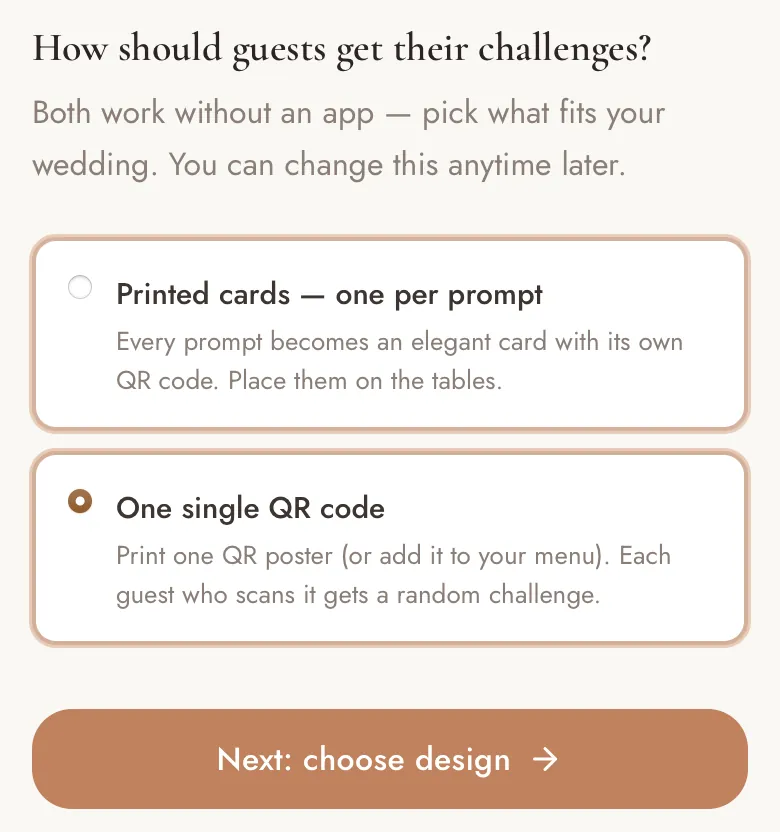
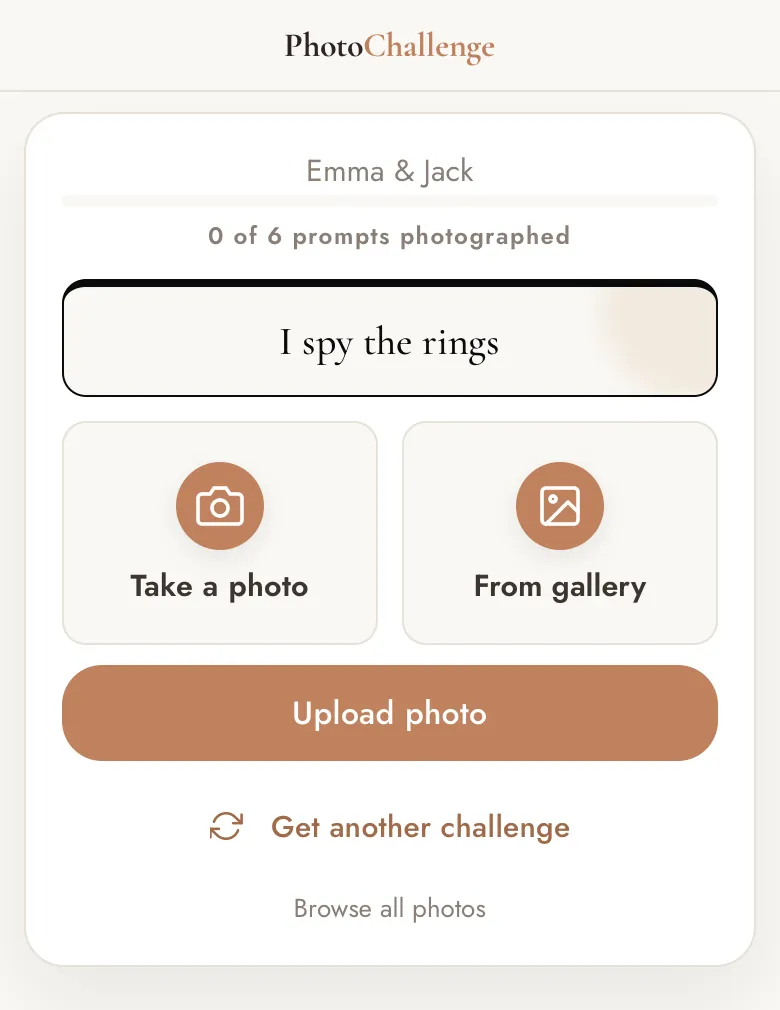
Further down the same page you're asked how guests should get their challenges. For I Spy, pick One single QR code. Everyone scans the same code, and each scan hands that guest an item they haven't had yet, favouring the ones nobody has photographed. That keeps the whole list covered without you planning who gets what.
The other option, printed cards, gives every item its own card and QR code. It suits a table-by-table game (I spy the centrepiece on this table), but for classic I Spy one code is simpler: one thing to print, and nothing to go missing.
Step 4: Turn the poster into an I Spy sign
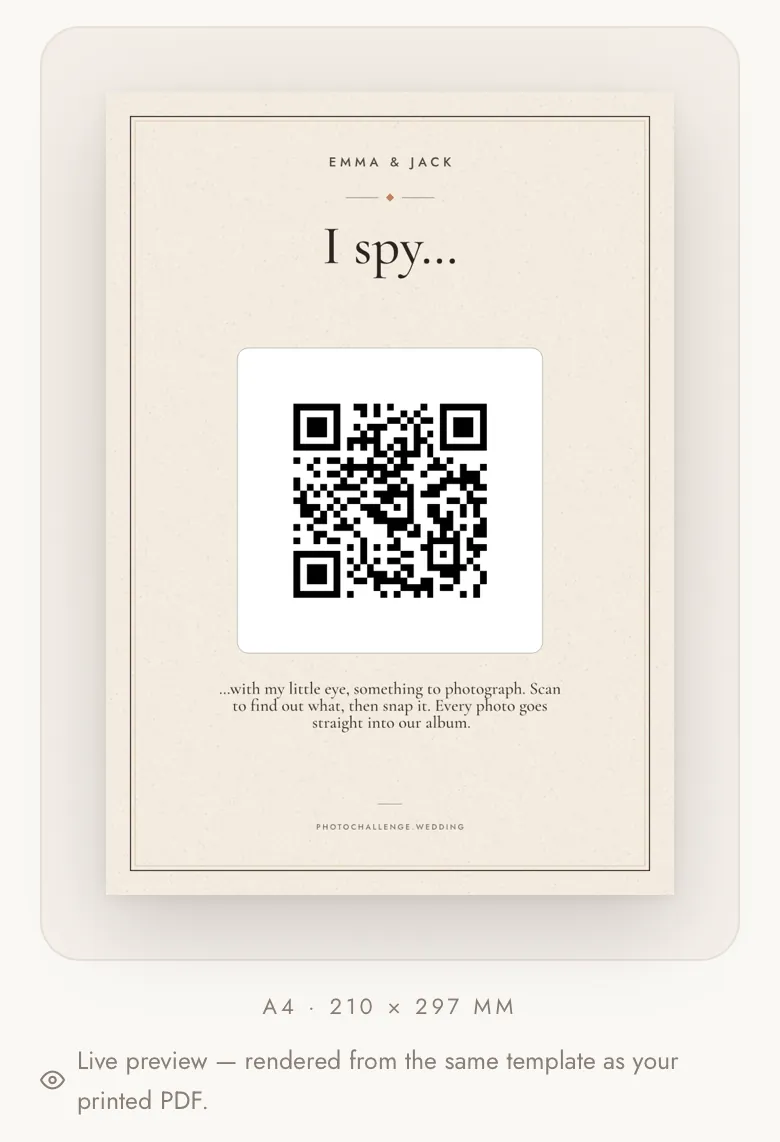
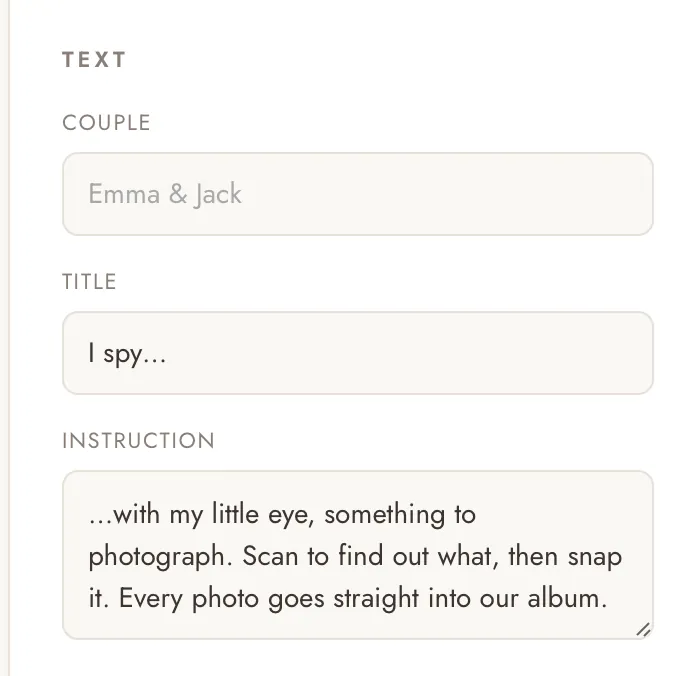
Tap Next: choose design to open the poster designer. Pick a style, then scroll to Text:
- Title: I spy…
- Instruction: something like …with my little eye, something to photograph. Scan to find out what, then snap it. Every photo goes straight into our album.
The preview is rendered from the same template as the PDF, so what you see is what prints. Under Paper size, Card puts eight business-card-sized copies on one A4 sheet, one for every table; A4, US Letter and 5×7 are there for the main sign. When you finish, you'll create an account so you can come back to your event.
Already bought an I Spy template on Etsy or made one in Canva? On a paid plan, your event page has Download QR code (PNG), so you can drop the code into your own design instead.
Step 5: Print it, and play a round yourself
On your event page, tap Print for the PDF. A home printer is fine for a test; for the day, a print shop on thick matte card looks the part. Then scan your sign with your phone's camera. You'll see exactly what a guest sees: your names, one item to spot, and buttons to take the photo, pick one from the gallery or get a different item.
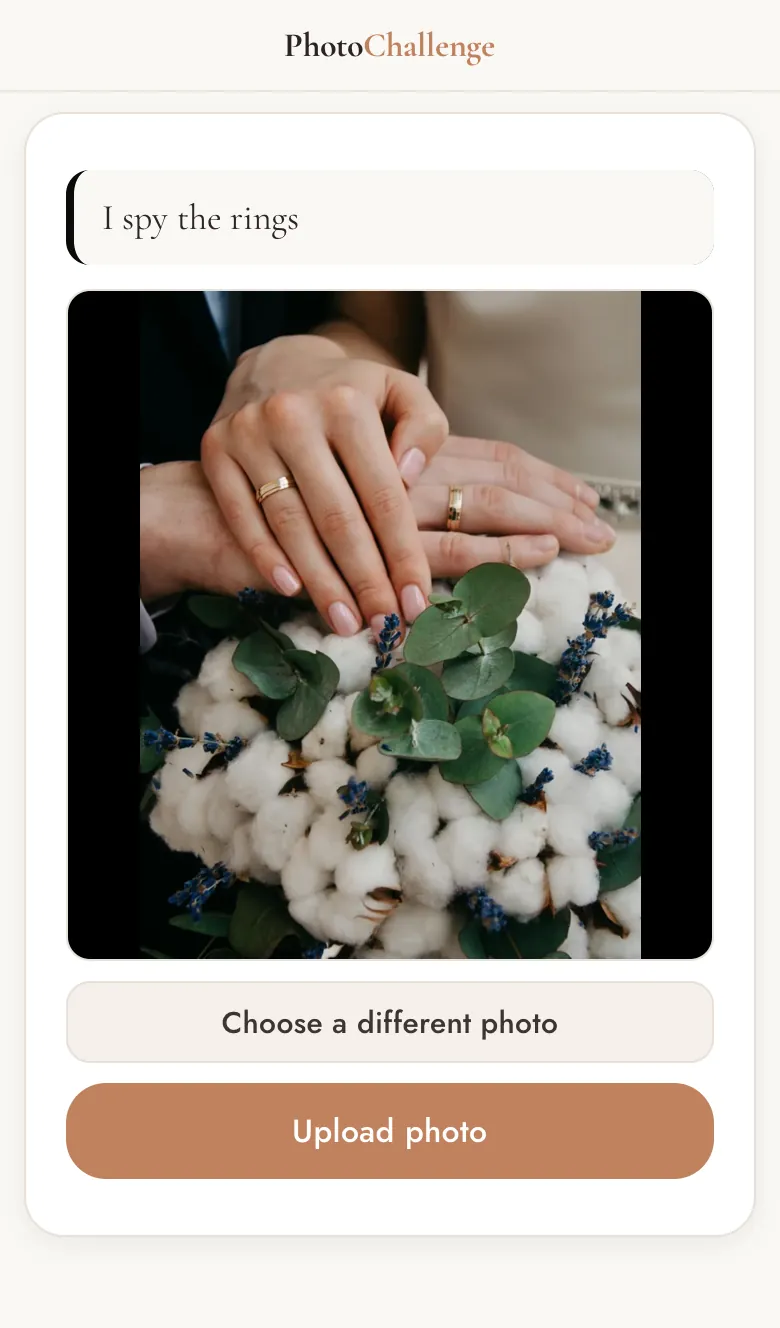
Upload a test photo and check it arrives in your gallery. You can delete test photos afterwards. Doing this a week before the wedding means nothing about the game is a surprise on the day.
Step 6: Put the signs out and say it once
Put the sign where everyone passes: the welcome table, the bar, next to the seating plan. If you printed table cards, put one on every table. Then have someone mention it once, early on — the best man, the MC, or one line in the welcome speech: “There's an I Spy game on the tables. Scan the code, find what it asks for, and snap it.” That sentence does more than any sign.
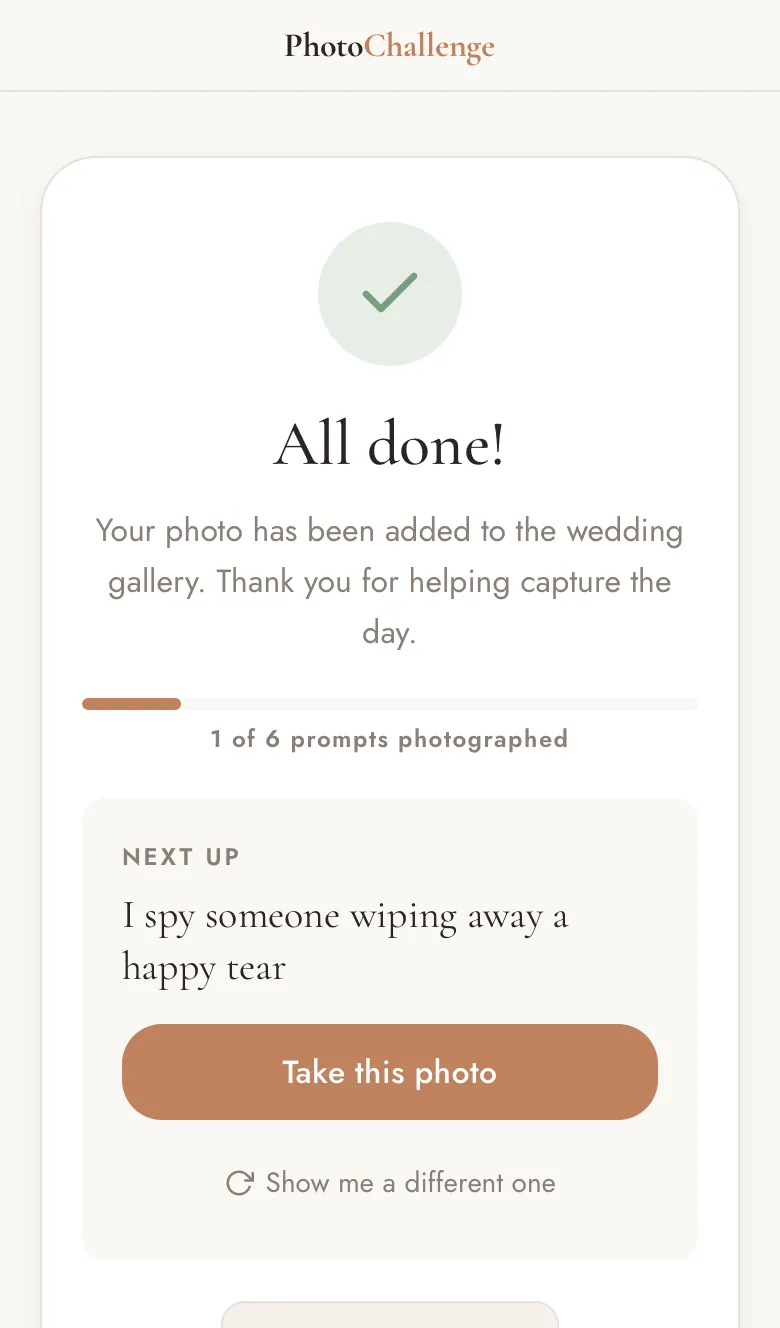
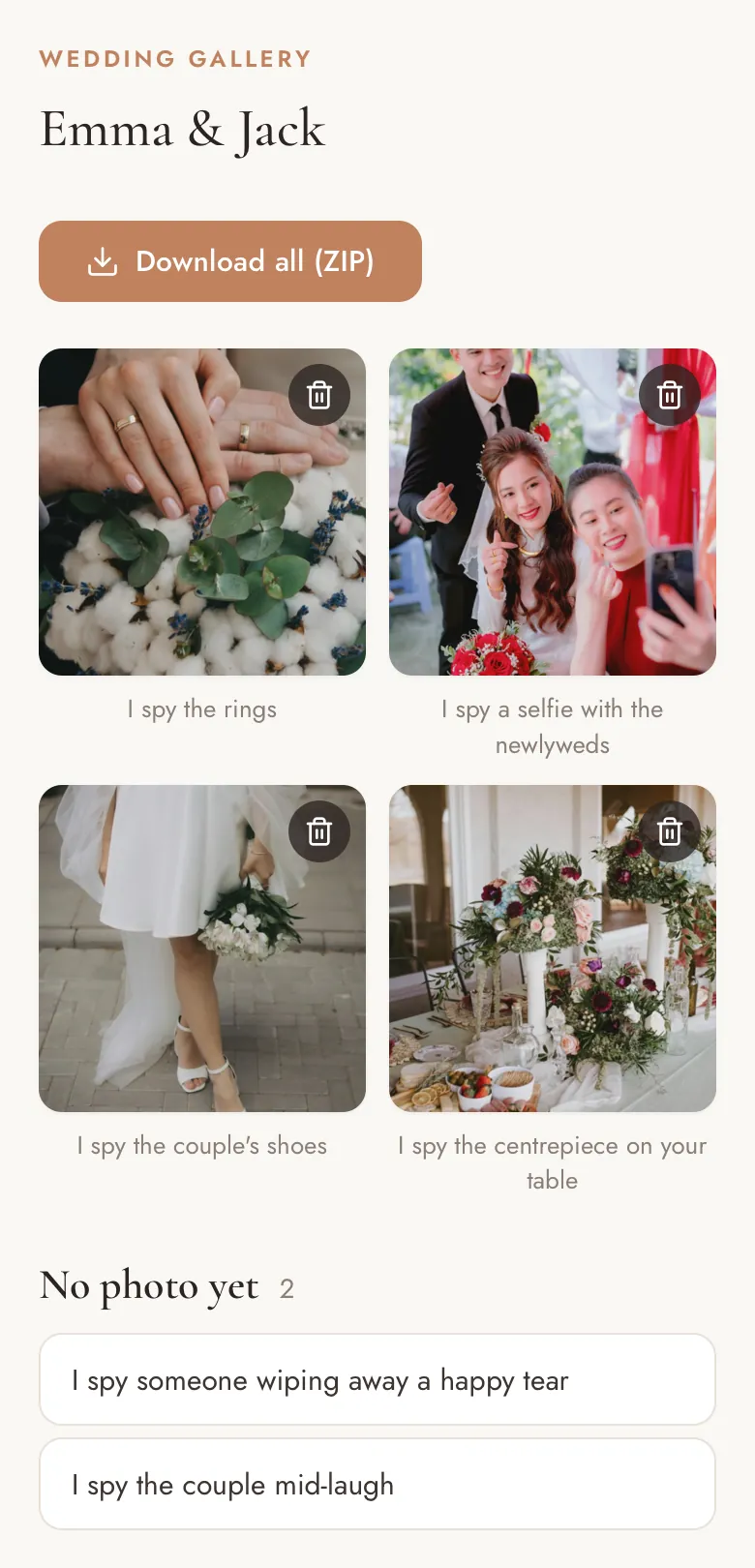
From there, guests scan, see their item, take the photo and upload it. After each upload they're shown the next thing to spot, with a button to swap it if they can't find it. The gallery link shows everything spotted so far, with the items still waiting for a photo listed underneath, so the whole room fills one I Spy list together.
Step 7: After the wedding, every photo comes labelled
Open your gallery and every photo is labelled with the item it answers, so the morning after you can see the first dance the way your guests saw it. Download all (ZIP) saves the whole gallery at full resolution. Photos stay online for 6 months on Standard and 12 on Premium, so download your copy early.
50 wedding I Spy ideas
Copy any of these onto your list. They're grouped so you can take a few from each, and every one can be photographed on a phone.
The couple
- I spy the rings
- I spy the couple mid-laugh
- I spy the newlyweds stealing a quiet moment
- I spy a kiss when they think nobody's looking
- I spy the first dance
- I spy the couple's shoes
- I spy a selfie with the newlyweds
- I spy the couple holding hands
Details and decor
- I spy something old
- I spy something new
- I spy something borrowed
- I spy something blue
- I spy the cake before anyone cuts it
- I spy the centrepiece on your table
- I spy your name on the seating plan
- I spy the prettiest flower in the room
Family and friends
- I spy three generations in one photo
- I spy the parents of the couple together
- I spy someone wiping away a happy tear
- I spy the oldest guest on the dance floor
- I spy two guests who only met today
- I spy the guest who travelled the furthest
- I spy the best-dressed guest
- I spy your whole table in one shot
Toasts, dinner and dancing
- I spy glasses raised for a toast
- I spy someone mid-speech
- I spy the cake being cut
- I spy the first guest on the dance floor
- I spy the best dance move of the night
- I spy the band or the DJ
- I spy the sky at golden hour
- I spy the last song of the night
Funny ones
- I spy someone dancing like nobody's watching
- I spy a guest who has kicked their shoes off
- I spy someone sneaking a second slice of cake
- I spy a tie where a tie shouldn't be
- I spy a perfect photobomb
- I spy someone sneakily checking their phone
- I spy the most dramatic dip on the dance floor
- I spy someone asleep (or very nearly)
For kids
Easy enough for young children on a parent's phone, and just as much fun for the grown-ups.
- I spy something heart-shaped
- I spy something sparkly
- I spy a flower bigger than your hand
- I spy the biggest smile in the room
- I spy a grown-up dancing silly
- I spy someone wearing a bow tie
- I spy a candle
- I spy something the same colour as your outfit
- I spy the tallest person at the wedding
- I spy a grown-up pulling a funny face
Three ways to vary it
- I Spy bingo. Arrange the list as a grid and let tables race to fill a row. The wedding photo bingo guide covers the grid version.
- Table by table. Choose printed cards in step 3 and every item gets its own card and QR code, so each table can have something to spot right in front of it.
- More running around. If you'd rather send guests looking than watching, a wedding photo scavenger hunt is the same idea with tasks instead of sightings.
The paper version, and where it gets stuck
You can run I Spy with nothing but printed cards and pens: a checklist at each place setting, ticked off as guests take their photos. It's a lovely thing to find on the table, and Etsy and Canva are full of templates for it.
The trouble starts the next morning, when the photos are on a hundred different phones. A hashtag only finds posts from public accounts, group chats shrink the photos they pass on, and shared albums usually want guests to sign in first, so most of the photos never reach you. The ones that do arrive with nothing to say which item they were for. A QR code on the card fixes both: every photo comes straight back, already labelled.
When is paper the better choice? If your venue has no mobile signal and no guest wifi, or many of your guests don't carry a smartphone, a printed card and a few disposable cameras on the tables is the game that will actually get played.
Frequently asked questions
What is the wedding I Spy game?
A photo game for your guests. They get a list of things to spot during the wedding, each starting with “I spy…” — the rings, the first dance, someone crying happy tears — and photograph each one when they see it. The couple ends up with the day as their guests saw it.
Is it “I spy” or “eye spy”?
Both spellings are used for the same game. “I spy” comes from the children's rhyme “I spy with my little eye”; “eye spy” is a pun you'll often see on wedding signs.
How many items should a wedding I Spy list have?
15 to 25 suits most weddings: mostly easy items everyone will spot, plus a few that take some finding. The free planner suggests a number from your guest count.
Do guests need an app to play?
No. Guests scan the QR code with their phone's camera and the page opens in the browser they already have. There's nothing to install and no account to make. They do need mobile signal or wifi to send the photo.
Is there a free printable I Spy game?
The 50 ideas on this page are free to copy onto your own card. PhotoChallenge's free test run prints a real QR sign for up to 5 items, with one photo per item, so you can play a round at home before deciding. For the wedding itself, Standard (€49, paid once) takes a full list and as many photos per item as your guests take.
Can kids play wedding I Spy?
Yes, on a parent's phone. The kids' ideas above are easy enough for young children, and they make good items for everyone else too.
Does there need to be a winner?
No, and most couples skip it: the photos are the prize. If you'd like one, turn on “Ask guests for their name” (paid plans) so every photo carries a name, and pick your favourite after the wedding.
Set up your I Spy game
Type your list, print the sign and play a round yourself before the wedding. The test run is free for up to 5 items.
Start my I Spy game