The wedding photo challenge cards are the part guests actually hold. Get them right and they read as a thoughtful detail of the day; get them wrong and they look like a printout. Here's exactly what's on a PhotoChallenge card, the paper we recommend, and how to pick a design.
What's printed on each card
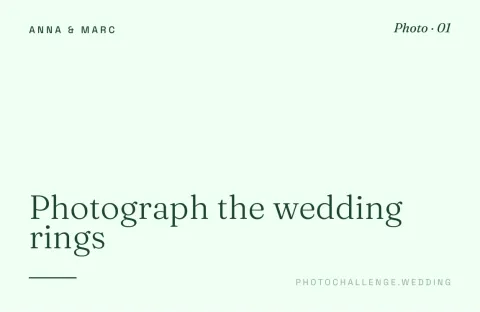
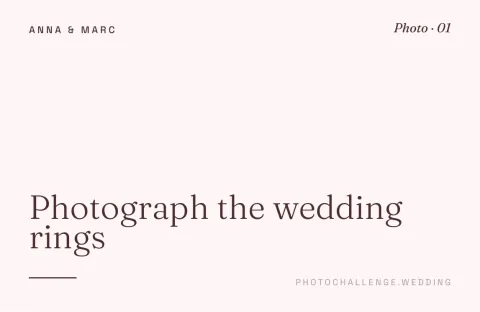
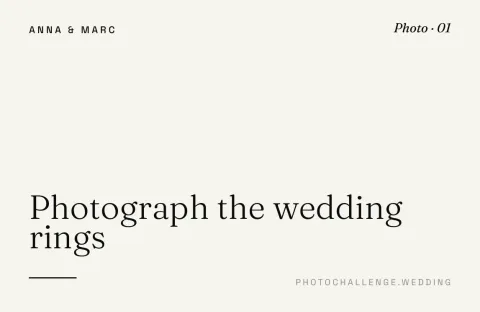
Every card carries the same elements, laid out cleanly so guests scan and shoot without thinking:
- Your event name (e.g., "Sarah & Tom's Wedding") at the top.
- The photo prompt: one short instruction like "Photograph the wedding rings".
- A unique QR code linking to the upload page for that specific prompt.
- A short "scan & upload" instruction for guests who aren't sure what a QR code does.
Cards print eight to an A4 sheet, double-sided, with crop marks to cut along. Each QR code already points at your challenge, so there's no typing and no manual setup.
Paper, weight and printing
- Recommended: 160-200gsm matte or eggshell. Feels like a real invitation. This is what we'd pick for our own wedding.
- Minimum: 120gsm. Anything thinner feels like a printout and curls on the table.
- Avoid glossy paper. QR scanners struggle with reflections; matte is more reliable.
- Cutting: a guillotine is fastest, scissors work fine for 20-60 cards, or hand the PDF to a local print shop and they'll guillotine for free.
- Local print shop estimate: 60 cards on heavy stock costs €15-€25 in most European cities, a premium feel for the price of a bottle of wine.
The five card designs
Pick the colours that match your wedding. All five designs share the same clean layout — only the palette changes — and you can preview each one with your own event name before printing, then switch later if you change your mind.
- Classic White: black ink on warm cream with a gold accent. Formal venues and timeless weddings.
- Romantic Rose: dusty pinks on blush. Pairs with florals and pastels.
- Boho Earth: olive and sage with a terracotta accent. Barns, fields and anything linen.
- Modern Dark: light type on deep navy with a coral accent. City venues and evening parties.
- Garden Party: forest and leaf greens with a warm orange accent. Outdoor and garden weddings.
Common questions
How many wedding photo challenge cards do I need to print?
One card per prompt, plus a few spares for the ones that go home as souvenirs (cards regularly vanish into clutch bags): 2, or one for every five tables, whichever is more. For 30 prompts across 8 tables, that's 32 cards.
What's the best printer for these cards?
A regular home inkjet on 160gsm cardstock works fine for small weddings. For a more premium feel, send the PDF to a local print shop; most will print 60 heavy-stock cards for €15-€25 and cut them to size.
Can I change the design after I've created my challenge?
Yes. From the overview page, hit "Change design" and pick a new one. Your prompts and any uploaded photos are kept exactly as they were.
See the designs in your own colours
Create a free draft challenge, preview all five designs with your event's name, and download a print-ready PDF when you're happy.
Preview the cards